Payer policy by code and service.
Search a CPT, HCPCS, DRG or a plain-English procedure and see which payers require prior authorization, what documentation they want, what changed recently, and the source line that proves it.
$99 per user/month, billed annually. Upgrade in-app — no sales call, no implementation project.
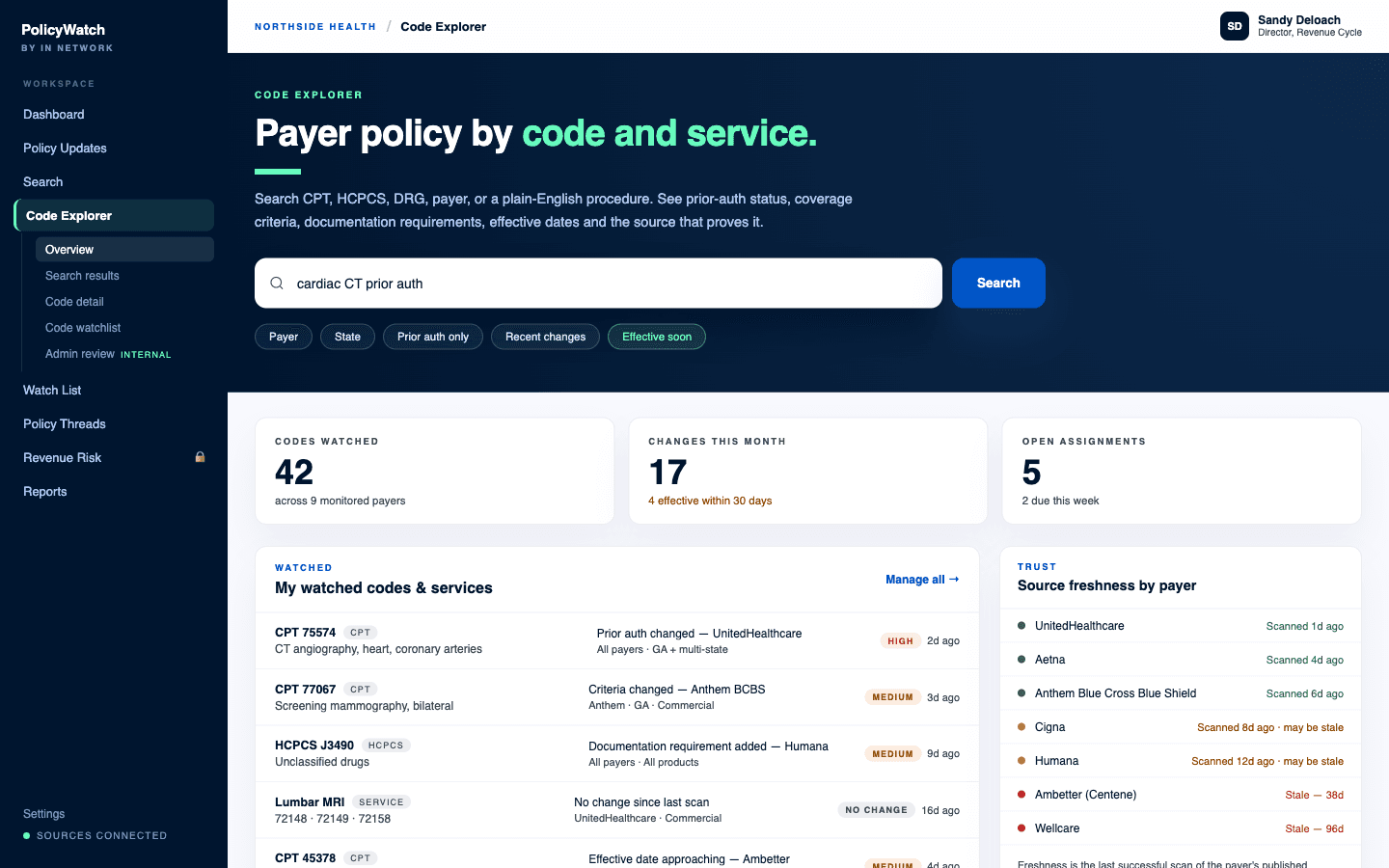
The Code Explorer overview screen.
One box, every way a code gets named
Your staff does not think in one code system, and neither does a payer policy. The same search accepts the code, the service, or the sentence — and understands the qualifiers people naturally type after it.
- CPT, HCPCS, DRG and revenue codes
- Plain-English service terms, mapped to their codes and synonyms — “cardiac CT”, “MRI lumbar”, “colonoscopy surveillance”
- Payer, state and product qualifiers in the same string
- Quick filters for prior auth only, recent changes, and effective soon
The payer requirement matrix
Open a code and the answer is a table, not an essay. One row per payer, product and service area, with the fields an operator actually has to act on — filterable, sortable, and exportable to CSV for a huddle or a payer meeting.
- Prior authorization: required, not required, conditional, or unknown
- Coverage status: covered, not covered, conditional, or unknown
- Documentation requirements, summarized in plain English
- Effective date, last revised date, and last scanned date
- Change class, confidence, source link, and your team's status on it
Every requirement carries its proof
A structured field without a quote behind it is a guess with good posture. Each extracted requirement shows the payer's own language, where it came from, and how confident the extraction is — and anyone on your team can send a field back for correction.
- The exact source quote, with page or section where the document provides one
- A link straight to the payer's published document
- Effective and revised dates as the payer states them
- A confidence label: reviewed, high, medium, low, or unknown
- Unknown is a real answer. Where nothing was extracted, nothing is claimed
Freshness is a field, not a footnote
Payer sites move, break, and go quiet. Code Explorer shows the last successful scan for every monitored payer beside the requirements it produced, so you can tell the difference between a payer that has not changed anything and a source that has stopped answering.
- Last successful scan per payer, in days
- Sources flagged as they age toward stale
- Freshness warnings on watched payers, not just in an admin console
Watch a code, not a document
Watches are set on the unit you care about, at the specificity you care about — and a watch fires on the events that change work, not on every re-publication of a PDF.
- Watch a code across all payers, or a code with one payer, state, or product
- Watch a service term or an entire service line
- Triggers: new matching policy, material change, prior-auth status change, criteria or documentation change, effective date approaching, source freshness warning
- Daily digest by default, realtime for high-severity and effective-soon items, weekly for informational ones
Change history, by code
Every code keeps its own timeline: what was detected, when, from which payer, what actually changed, and what your team did about it. That history is what turns a search tool into the team record — and it is the same record a renewal packet draws from later.
- Date detected, payer, policy, and what changed
- Effective date and recommended next action
- Assign an owner, set a due date, discuss it in thread, and close it with a resolution reason
- Export a code or service bulletin to share internally
One source of truth, one loop.
Code Explorer is the interpretation layer. PolicyWatch detects that a payer document changed; Code Explorer says which codes and services that change touches, what the new requirement is, and what the payer's own words are. Everything downstream reads from it — Revenue Risk Queue ranks the changes Code Explorer maps, Negotiation Packets cite the requirements it extracted, and Command Center drafts work against the codes you watch here.
What buyers ask about Code Explorer.
Where do the requirements come from?
What happens when a code has no clean answer?
Can we get the matrix out of the product?
Put Code Explorer on your payers.
Payer policy by procedure code — requirements, criteria, and freshness across your payers.
Want to see it for yourself first? Try Policy Finder — free.