Payer contract memory.
Agreements, amendments, fee schedules and notices in one payer workspace — with the renewal clock, the clause that matters, and the unresolved policy risks you should raise.
Enterprise pricing is negotiated against your payer mix and seat count. A demo runs in the product, on your payers.
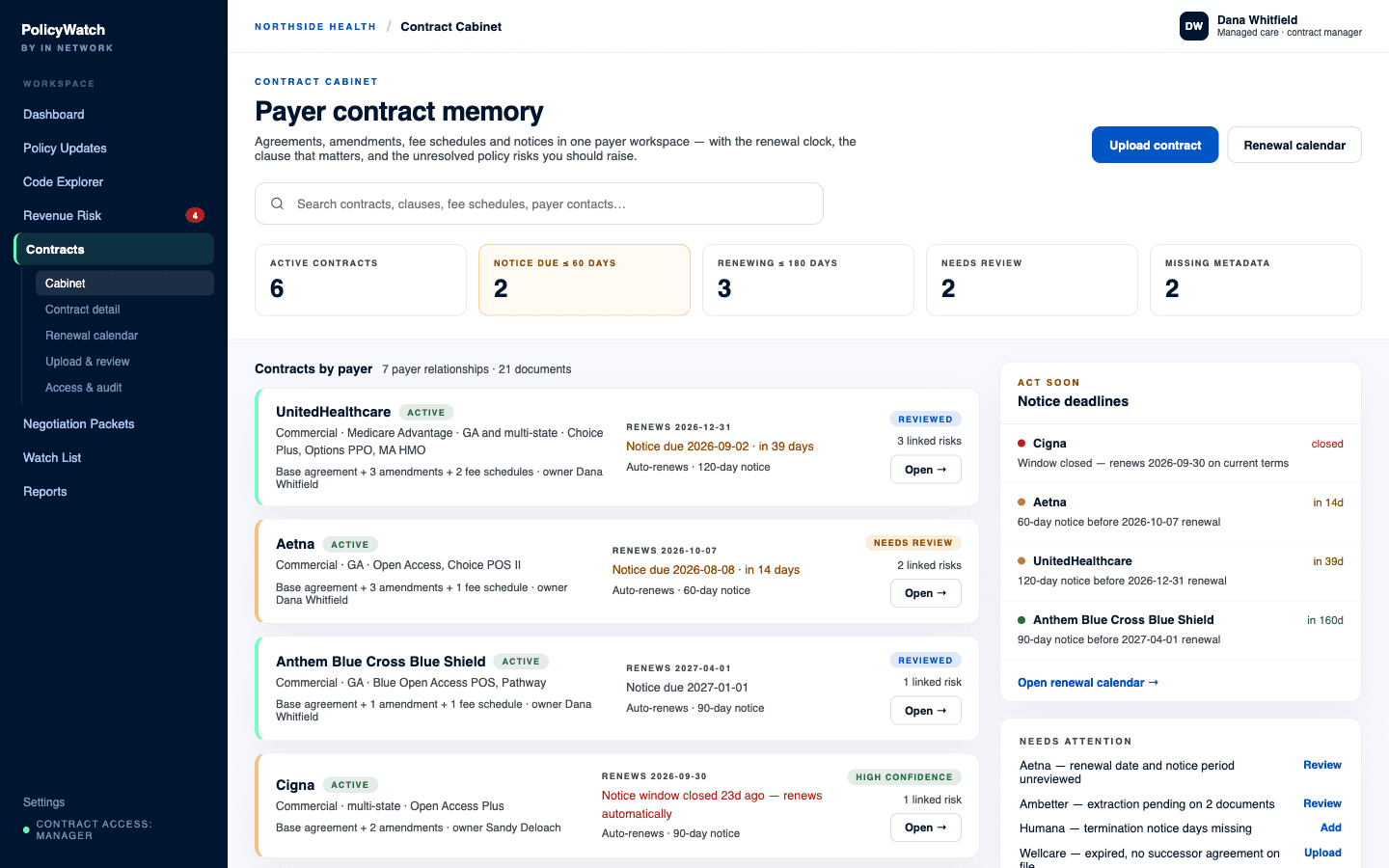
The Contract Cabinet, with the notice clock running.
One workspace per payer relationship
Base agreements, amendments, fee schedules, notices, and correspondence live together under the payer they belong to, tagged with the plans, networks and markets they actually govern. When a question comes up, nobody is searching a shared drive for a filename someone chose during a bad week.
- Upload PDFs, Word files, spreadsheets, amendments and notices
- Assign each document to a payer, plan, network and product
- Status on every record: active, pending, expired, terminated, draft
- An internal owner on every contract, so questions have an address
Clauses extracted, with the page they came from
The cabinet reads the agreement and pulls the language that governs day-to-day payer operations. Every clause summary carries the exact excerpt and its page reference, so a summary is always one click from the sentence it summarizes.
- Term, renewal, and termination — including notice periods
- Fee schedule and reimbursement methodology, rate updates and escalators
- Payer policy incorporation — the clause that binds you to policies you did not sign
- Prior authorization, medical necessity and utilization management
- Claim submission deadlines, timely payment, appeal and dispute process
- Audit and recoupment, unilateral amendment and notice, confidentiality
Nothing is trusted until a person reviews it
Extraction is a first draft with a confidence label, not a verdict. Until someone reviews a field it is phrased as what the document appears to state, and the record shows plainly which fields are reviewed and which are not. Contracts are not the place for confident guessing — and none of this is legal advice.
- Reviewed and unreviewed states are visible on the record, not buried
- Low-confidence extractions are routed for review before they are relied on
- Any field can be edited by hand, and the edit is logged
- A needs-attention list surfaces missing dates, unreviewed periods, and stalled extractions
The renewal calendar, and the window that actually matters
Renewal dates are the easy part. The date that decides your leverage is the non-renewal notice deadline, which sits months earlier and passes silently. The cabinet tracks both, counts down the window, and states it plainly when a window has closed and the agreement is renewing on current terms.
- Renewals grouped at 30, 60, 90 and 180 days out
- Notice deadlines derived from the termination-notice clause, with days remaining
- Auto-renewal flagged on every agreement that carries it
- Unresolved policy risks for that payer shown beside the deadline
- One control from the renewal view to build the negotiation packet
Fee schedules that stay attached to the contract
A fee schedule is only useful next to the agreement it belongs to. The cabinet stores the file, extracts clean rows where the document allows it, and keeps them linked to the payer record so a rate question does not become an archaeology project.
- Code, description, rate, effective date, modifier, facility or non-facility, product
- Rows kept beside the agreement and amendment history that produced them
- Comparison against the Medicare anchor and market observations from Market Rates
Confidential by default, audited by design
Contracts are the most sensitive documents a provider organization keeps, so access is scoped and every touch is recorded. Contract files are not exposed to ordinary policy-search users, and nothing you upload is used to train shared models.
- Roles: admin, contract manager, viewer, and no contract access
- Organization-scoped storage with expiring download links
- Audit log of upload, download, delete, field edit, extraction approval, packet generation and permission change
- Export or delete your documents on request
One source of truth, one loop.
The cabinet is what gives the rest of the suite a sense of timing and consequence. A prior-auth change ranks higher in the Revenue Risk Queue when it hits a contracted payer whose notice deadline is weeks away; a Negotiation Packet pulls its renewal dates, clause excerpts and fee schedule straight from the contract record; and Command Center puts the notice window on the same calendar as the effective dates it is tracking, so contract deadlines and policy deadlines stop living in different worlds.
What buyers ask about Contract Cabinet.
Who in our organization can see the contracts?
Is the extracted contract summary legal advice?
What if our fee schedules are messy?
Put Contract Cabinet on your payers.
Contracts, fee schedules, and renewal dates, connected to the policy changes that move them.
Want to see it for yourself first? Try Policy Finder — free.